Crawled or Discovered – currently not indexed? What each Search Console status means, by Google's own definitions
A status-by-status guide to Search Console's Page indexing report: what Google says each reason means, which ones are working as intended, which need a fix, and which popular explanations go beyond the documentation. Includes what sitemaps, recrawl requests and the Indexing API can and cannot do.
The Page indexing report in Search Console lists every reason Google has not indexed a URL. Two of those reasons, "Crawled – currently not indexed" and "Discovered – currently not indexed", generate more worry and more confident theories than any other line in the report. Most of those theories go further than Google's definitions.
This guide starts from Google's text for each status, then sorts them into three groups: working as intended, fix on your side, and wait or improve.
Sources checked October 14, 2026. Definitions are paraphrased from Google's documentation and linked. Our sorting and the triage order are RankPropel's method, not Google's.
Start with Google's own warning
Google's report documentation says not to expect every URL on a site to be indexed. Some URLs are duplicates or carry no meaningful information. The goal is that your key pages are indexed, and that you understand the reason given for each URL that is not. Page indexing report.
It also says indexing is never guaranteed, even for pages that follow Google Search Essentials. How Search works. A non-indexed count on its own is not a problem to solve.
The two statuses everyone asks about
Discovered – currently not indexed
Google's definition: Google found the URL but has not crawled it yet. Typically Google wanted to crawl it, but doing so was expected to overload the site, so the crawl was rescheduled. That is why the last crawl date is empty. Page indexing report.
The common explanation: the page lacks link equity or "authority", so Google does not think it worth crawling.
What the documentation supports: Google's definition names server load, not page value. Its crawl-budget guide adds that crawling depends on a crawl capacity limit, set by how well the server responds, and on crawl demand. Pages that are more popular on the web tend to be crawled more often. The guide lists sites with a large share of URLs in this status among the sites it is written for. Crawl budget. So popularity can play a part. Google does not describe this status as a verdict on a page's quality or links.
What to check:
- Server health. 5xx and 429 responses make Google's crawlers slow down, and crawling speeds up again only gradually once the server returns 2xx responses. HTTP status codes and Google's crawlers. Look at response times and errors in your hosting logs and in Search Console's Crawl Stats report, which shows Google's requests, your server's responses and any availability problems.
- URL inventory. If Google knows about many duplicate or low-value URLs, such as faceted filters, session parameters or calendar pages, it spends crawling time on them. Google calls this the factor you can control the most. Crawl budget.
- Discovery. Make sure each page you care about is linked from at least one other page with a crawlable
<a href>link. Link best practices.

Source: Google Crawling Infrastructure documentation, How HTTP status codes affect Google's crawlers, captured October 14, 2026. Highlight added by RankPropel. Licensed CC BY 4.0.
Crawled – currently not indexed
Google's definition: Google crawled the page but did not index it. It may or may not be indexed in the future, and there is no need to resubmit it for crawling. Page indexing report.
The common explanation: Google judged the page not good enough, so improve it or delete it.
What the documentation supports: Google gives no reason beyond the definition. A page can sit here because it is near-duplicate, thin or not useful enough, but Google does not say so for any individual URL. Treat it as a question, not a verdict.
What to check:
- Does the page say something the indexed pages on your site, and the pages already ranking, do not? If not, merging it into a stronger page is often better than rewriting it.
- Does Google see the content? Run the URL Inspection live test and look at the rendered HTML and screenshot, especially on JavaScript-heavy pages. URL Inspection tool.
- Is it linked from relevant pages, or only from a sitemap?
Do not resubmit the URL over and over. Google's definition says resubmitting is not needed, and its recrawl guide says a request does not guarantee inclusion. Ask Google to recrawl.
Working as intended: usually nothing to do
| Status | Google's meaning | When to act |
|---|---|---|
| Alternate page with proper canonical tag | An alternate version (for example a mobile or AMP version) correctly points to an indexed canonical. | Never, if the canonical is the page you want. |
| Duplicate without user-selected canonical | Google found a duplicate with no declared canonical and picked another URL as canonical. | If Google picked the wrong page, declare a canonical. If the page is not really a duplicate, make its content clearly different. |
| Page with redirect | The URL redirects, so it is not indexed. The target may be. | If the redirect is deliberate, never. |
| URL marked 'noindex' | Google saw a noindex rule and obeyed it. | Only if you want the page indexed: remove the rule, then request indexing. |
| Not found (404) | The URL returned 404. Google may keep trying it for a while, less and less often, and there is no way to make it forget a URL. | Only if the page moved: redirect it with a 301. A 404 for a removed page is fine. |
Source for all rows: Page indexing report.
On canonicals, Google adds that a declared canonical is a hint, not a rule. HTTPS versus HTTP, redirects, sitemap inclusion and rel="canonical" annotations all feed its choice. Canonicalization.
Fix on your side
| Status | Google's meaning | Typical fix |
|---|---|---|
| Server error (5xx) | The server returned a 500-level error. | Fix the server. Persistent 5xx errors also slow crawling and can eventually drop already indexed URLs. |
| Redirect error | Chain too long, loop, URL too long, or a bad or empty URL in the chain. | Redirect each old URL directly to its final destination. |
| Blocked due to unauthorized request (401) / access forbidden (403) | Googlebot was asked for credentials, or refused. Googlebot never sends credentials. | Remove the login requirement from pages meant for search, or allow verified Googlebot. |
| Soft 404 | The page looks like a "not found" page but returns 200. | Return a real 404 for missing pages. For real pages, make the content clear enough that it is not mistaken for an error page. |
| Duplicate, Google chose different canonical than user | You declared a canonical; Google thinks another URL is the better canonical. | Compare the three pages in URL Inspection. A declared canonical must be genuinely similar to the page. |
| URL blocked by robots.txt | Crawling is blocked. | If you wanted to keep it out of the index, use noindex instead and allow crawling. A page blocked by robots.txt can still be indexed in rare cases, and a blocked crawler never sees a noindex rule. |
| Page indexed without content | Indexed, but Google could not read the content, possibly because of cloaking or an unsupported format. | Inspect the page and fix what Google receives. |
Sources: Page indexing report, HTTP status codes (5xx behaviour), Block indexing with noindex (robots.txt and noindex).
After fixing every instance of an issue, use the report's validation button to ask Google to confirm the fix. Prioritise issues whose source is "Website" and whose validation has failed or not started. Page indexing report.
What submission tools can and cannot do
| Tool | What Google documents | Limit |
|---|---|---|
| XML sitemap | Helps discovery, most of all for large sites, new sites with few links, and sites that are not well linked internally. A well-linked site of about 500 pages or fewer may not need one. | A sitemap helps Google find URLs. It does not make Google index them. Sitemaps overview |
| URL Inspection, Request indexing | Asks for a recrawl of individual URLs. For many URLs, submit a sitemap instead. | Crawling can take days to weeks, and a request does not guarantee inclusion. Ask Google to recrawl |
| Indexing API | Only for pages with JobPosting or BroadcastEvent embedded in a VideoObject. |
Not a general-purpose indexing tool. Services that push ordinary pages through it are using it outside its documented scope. Indexing API |
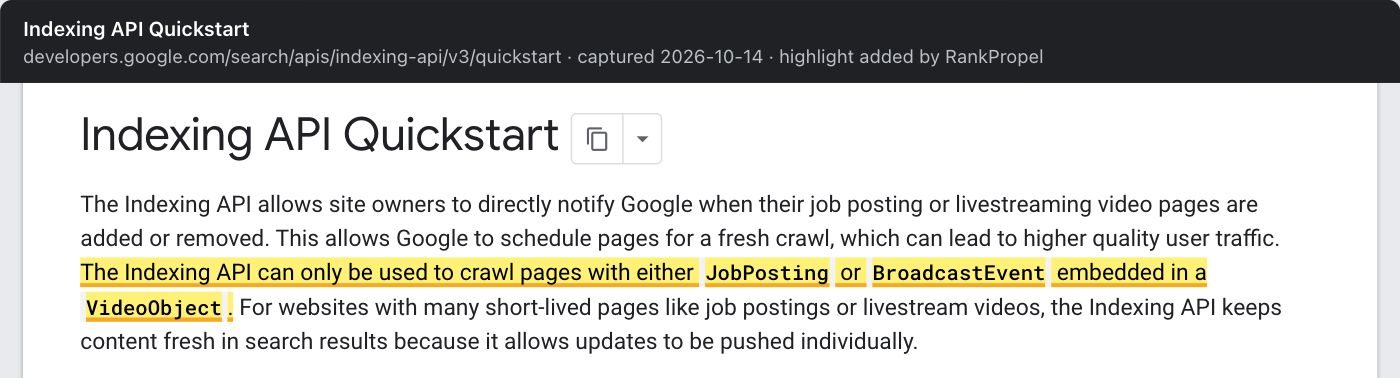
Source: Google Search Central, Indexing API Quickstart, captured October 14, 2026. Highlight added by RankPropel. Licensed CC BY 4.0.
A triage order for small sites
This is RankPropel's order of work, not Google's:
- List the pages that matter commercially, and check each with URL Inspection. Ignore the rest of the report until these are right.
- Fix "Website"-source errors: 5xx, redirect errors, 401/403 on public pages, unintended noindex or robots.txt blocks, soft 404s.
- Resolve canonical disagreements on important pages.
- For "Discovered", check server health and URL inventory before anything else.
- For "Crawled", decide per page: improve, merge or leave alone. Record what you changed and when.
- Recheck in four to eight weeks. Do not count a status change that follows a request as caused by the request.
Checklist
- Key pages listed and inspected individually
- No 5xx, redirect errors or 401/403 responses on public pages
- noindex, not robots.txt, used for pages that must stay out of the index
- Declared canonicals point to genuinely similar pages
- Server response times and error rates checked for "Discovered" pages
- "Crawled" pages reviewed for distinct value; merged or improved, not resubmitted repeatedly
- No ordinary pages pushed through the Indexing API
Related: Internal links: what Google documents and From zero to indexed: a launch-day checklist.